Running late? Send them your bus
Share a live link to the bus you're on. They watch it count down to your stop, no app needed.

“Where are you?”
You're on the 504, somewhere around Church. Your friend is waiting at the restaurant. You could guess. “Ten minutes?” Then traffic happens, and it's twenty.
Or you could send them the bus.
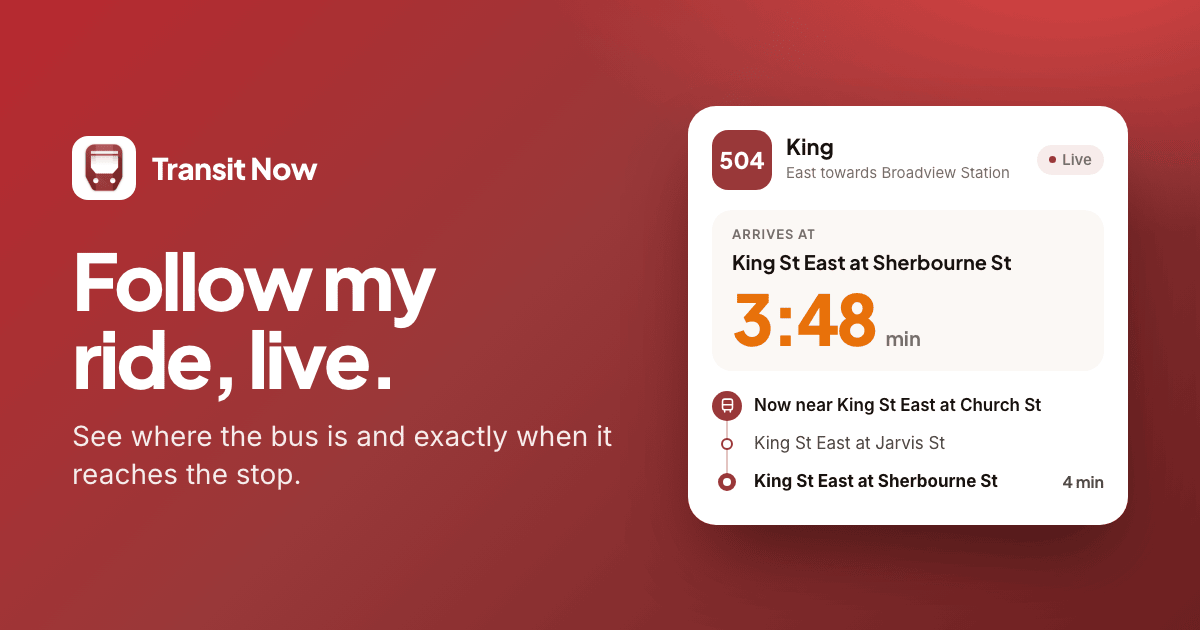
Transit Now can share a live link to the bus or streetcar you're on. Your friend taps it and watches it come in, counting down to your stop. They don't need the app. It opens in any browser.
Sharing from Android
- Open your stop and tap Set destination on your route. It's the button with three dots in a line.
- Pick the stop where you're getting off.
- Tell it where you are. At Stop if you're still waiting. In Vehicle if you're already on, and it finds your bus using your location. Or type the number on the side of the bus under ID.
- On the arrival card, tap the share button and pick an app. There's a text-message button right beside it too.
The message says which route you're on, where you're getting off and about when you'll get there, with the link at the end.
Sharing from iPhone
- Open your stop and tap the flag.
- Answer Where are you getting off? and Which vehicle?, then tap Start tracking.
- Tap the share button on the tracking card, and pick an app.
The message reads something like “I'm on the 504 to King St East at Sherbourne St, ~12 min away. Track it live:”, followed by the link.
What your friend sees
They tap the link and get a page that says Follow this ride, live. On it:
- A countdown to your stop, in minutes and seconds, with the clock time you'll get there.
- How many stops are left, and the stops coming up next: where you got on, where the bus is now, and where you're getting off.
- The bus itself. Tap Show on a map to see exactly where it is in Google Maps.
- How fresh it is. The page updates every 15 seconds on its own, and says when it last did.
When the bus reaches your stop, the page says so: Arrived at, and the name of the stop. That's their cue to look up from their phone and wave.
Following along in the browser works for TTC rides.
What the link shares, and what it doesn't
This part matters, because it's your trip.
The link doesn't include your location, your name or your phone number. There's no account behind it. All it carries is the route, the number of the bus or streetcar, and the stops where you got on and where you're getting off.
It follows the bus, not you. While you're on board, that's where you are, of course. But if you hop off early, the link keeps following the bus. And once the bus reaches your stop, the ride is over and the page says so.
It follows the bus, not you.
Next time someone asks
Next time you get a “where are you?”, skip the guess. Send the bus.
If you share a ride and something looks off on your friend's end, I'd like to hear about it: support@transitnowapp.com.