 Transit Now
Eyes up: turn-by-turn comes to Cycle Now
Spoken turns, a buzz on your wrist, and the next turn in your status bar. Cycle Now now takes you along the quiet route itself — so your phone can stay in your pocket.

Earlier this month I wrote about quiet routes. Cycle Now plans your Bike Share ride along side streets and bike lanes, and it usually takes about the same time as the direct way. I love them.
But a quiet route on a map is only half the job. You still have to follow it.
For a while I followed it the hard way. Ride a block. Red light. Pull the phone out, find the blue dot, work out the next turn. Put it away. Green light. Do it all again at the next corner.
The other option was handing off to Google Maps. That works, but Maps picks its own route. It doesn't know about the quiet one you just planned. More than once it sent me right back onto the main street I was trying to skip.
So Cycle Now 2.3.0 has its own turn-by-turn navigation. It follows the quiet route. It talks. It buzzes. And you barely have to look at your phone.
- Spoken turns that turn your music down, not off.
- A buzz for every direction, the same on your phone and your watch.
- The next turn in a live notification — and in the status bar on Android 16.
- Wrong turn? A new route in seconds.
- Arrive knowing where to dock.
Tap Navigate, keep the quiet way
Plan a trip the way you always have. Cycle Now finds a station with bikes near you and one with docks near where you're going. Then tap Navigate.
You get two choices. Cycle Now navigation puts the route on the map and takes you through it turn by turn — spoken, in your notifications, and on your watch. Google Maps is still there if you'd rather use it. It just picks its own route.
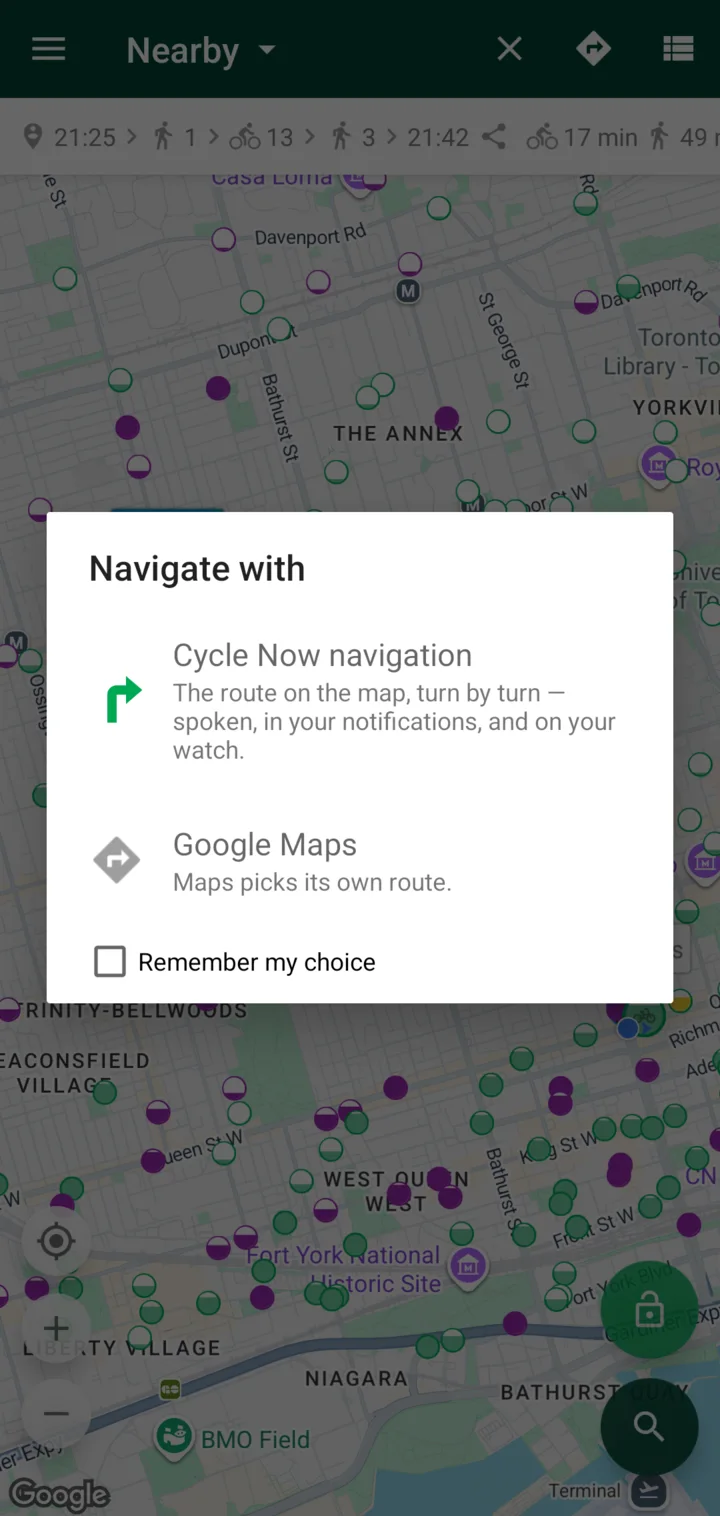
The route on the map is the route you ride.
Turns you can hear
A turn comes in three spoken cues, each shorter than the last. First the heads-up: “In 300 metres, turn left onto Noble Street.” Then, closer: “In 100 metres…” And finally, just: “Turn left.”
In 300 metres, turn left onto Noble Street
When two turns come right after each other, you hear them together — “…then immediately right” — so the second one doesn't sneak up on you.
The voice ducks your music. It turns it down while it talks, then brings it back up. And if you'd rather ride in silence, mute it.
Turns you can feel
A voice is great until a streetcar rolls past. So every direction also has its own vibration pattern:
- Leftshort, short, long
- Rightlong, short, short
- Arrivedthree long
The patterns are the same on your phone and on your watch. It doesn't take long to learn them. Now my phone buzzes in my pocket and I know which way I'm going without looking at anything.
Tap to feel it on your phone
Android phones buzz the real pattern. Everywhere else, watch the dots.
The next turn, without opening the app
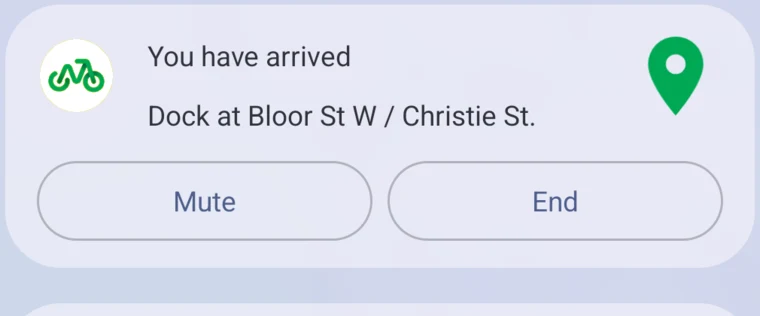
While you ride, a live notification shows the next turn, how far away it is, and your ETA. It has two buttons: Mute and End.
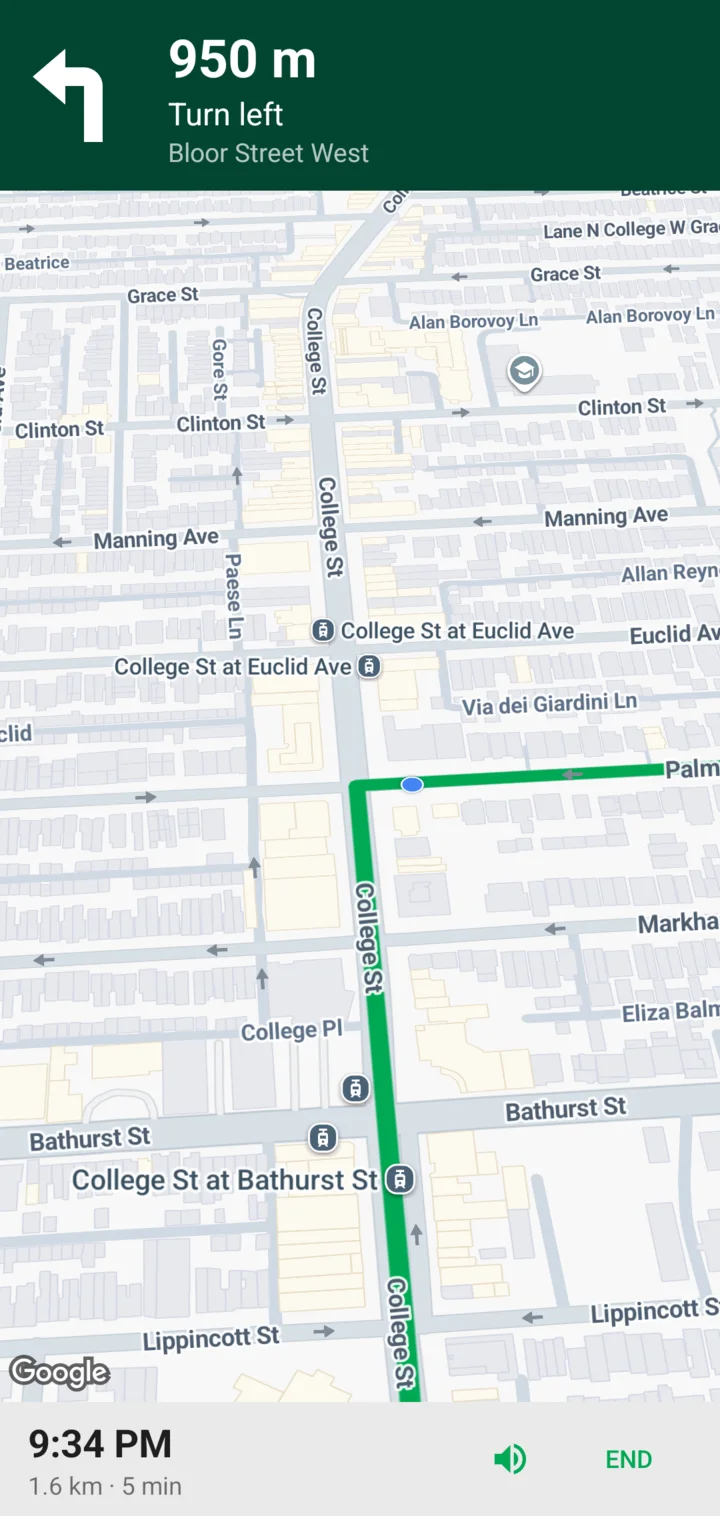
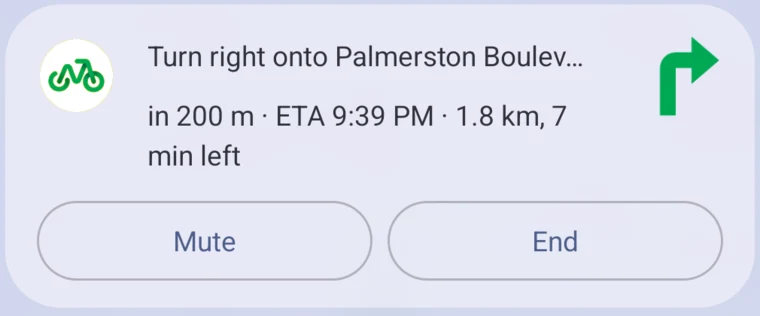
On Android 16 it goes one step further. The distance to your next turn sits in the status bar as a Live Update chip, so a glance at the top of the screen is enough. (That one needs Android 16 QPR1 or newer.)
Missed a turn? Keep riding.
I still miss turns. Everyone does. When you go the wrong way, Cycle Now reroutes you in seconds. No pulling over to figure it out.
Arrive knowing where to dock
The end of a Bike Share trip has its own little stress. You're close. The station is somewhere around here. But which corner?
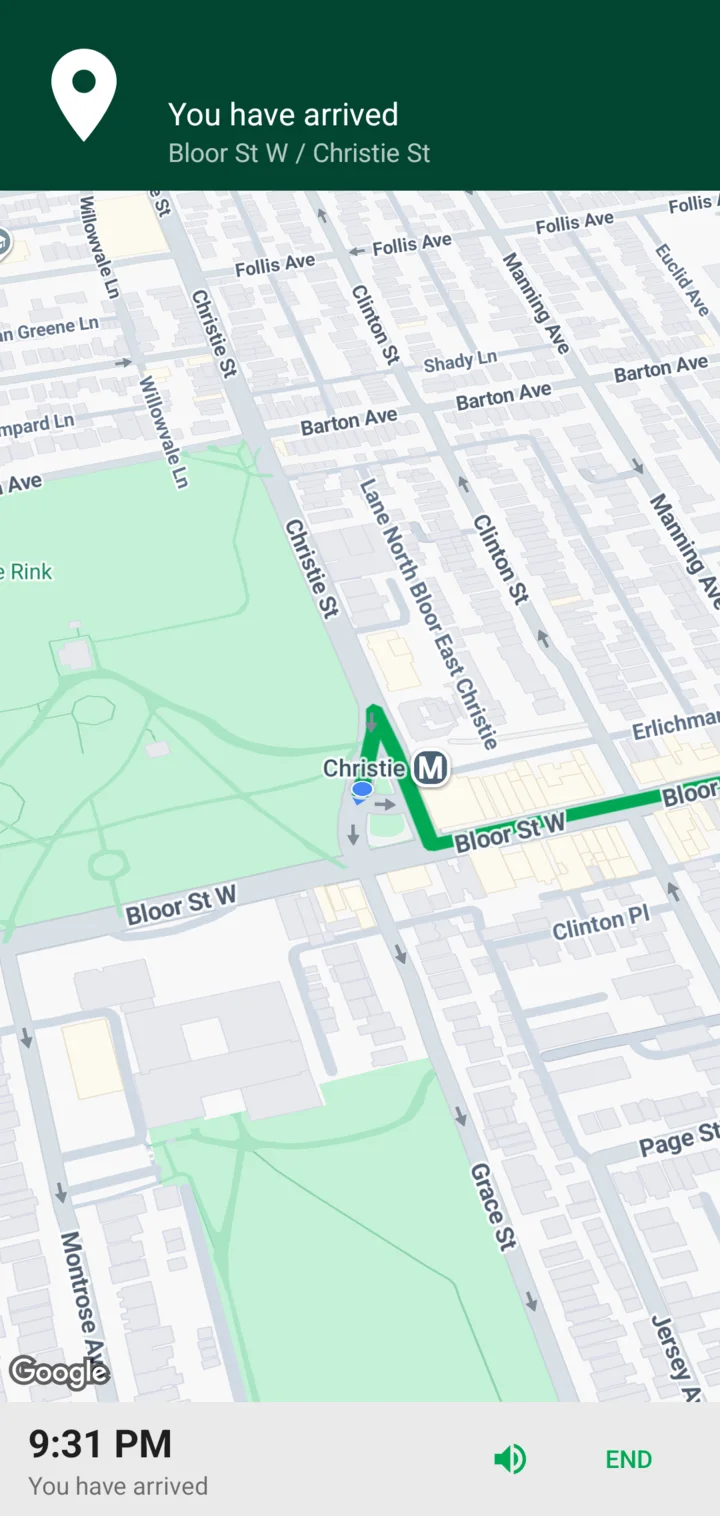
Now the ride ends with: “You have arrived. Dock at Bloor St W / Christie St.” Three long buzzes. You know where the bike goes before you've even stopped.
Phone in your pocket, screen off
This is the part I cared about most. Navigation keeps working with the screen off and the phone in your pocket. And it doesn't need background-location permission to do it.
If you wear a Wear OS watch, the turn card opens on its own: an arrow, the distance and the street. Tap it to repeat the turn.
Toronto first
Turn-by-turn follows the quiet routes, so for now it's Toronto only — on Bike Share Toronto. If you use Cycle Now somewhere else, you still get live bikes and docks, same as before.
Eyes up
I built this because I wanted to stop checking my phone at red lights. Mostly, I have. The voice tells me the turn, the buzz confirms it, and my eyes stay on the street.
Turn-by-turn is in Cycle Now 2.3.0 on Google Play now. Try it on your next Bike Share ride and tell me how it goes: support@transitnowapp.com.